How to Redeem Anime Vanguards Codes
Checked 2026-10-14 · Update 15.0
Open the game, press Profile on the right, then Codes on the left edge of that window. Type the code exactly as published and claim the reward.
Redeem steps
Codes are distributed with updates. The official sources named on the wiki are the Discord invite discord.com/invite/animevanguards and the changelog at vanguards.gg/changelog.
- Join the official Roblox place and load into the lobby.
- Select Profile on the right side of the screen.
- Select Codes on the left border of the profile window.
- Paste a code from the active table and claim it.
- If it fails, check the expiry date and your level.
Group rewards
Search interest exists for group rewards, but the Codes page does not describe a Roblox group reward track. The wiki does document Guilds and a Guild Shop. Treat those as a separate system until a code page names group rewards.
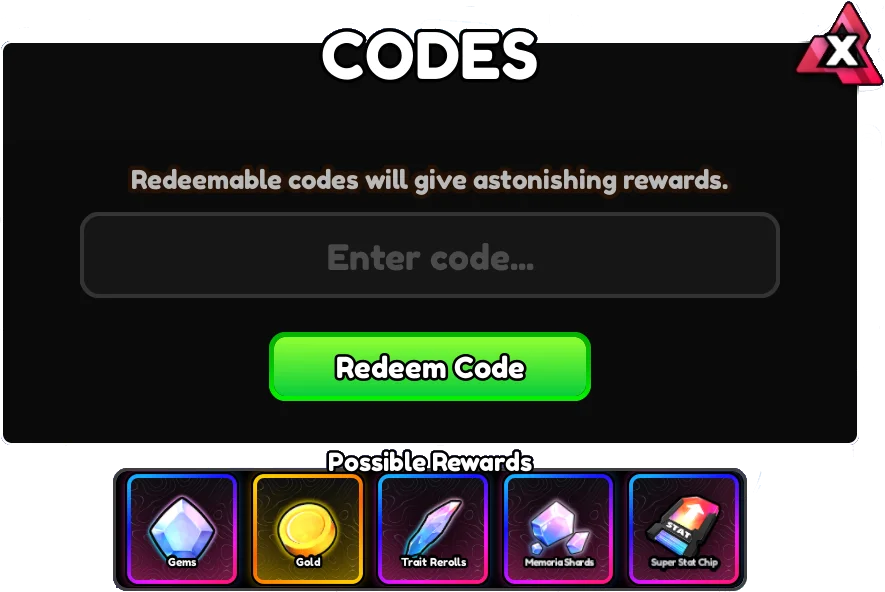

I used the wiki note under the code table, not a third-party diagram. The path is Profile, then Codes. When I compared the level lines, the template said 10 and the intro said typically 30, so I wrote both instead of picking one.
FAQ
Why does my code say invalid?
It may be expired, mistyped, or below the level the server enforces. Compare the code with the active table, including capital letters.
Do codes last 14 days?
Do not treat 14 days as a rule. The wiki stores a per-code expiry. A Fandom page only repeats a developer remark of about two weeks.
Related
Sources
- Official wiki Codes — Profile path and level wording.
- Official Discord invite — Named by the wiki as a code source.